Keep Your API Requests Running with Overage Billing from WhoisXML API
TL;DR
- WhoisXML API’s new Overage Billing feature lets API requests continue when subscription credits run out.
- Extra usage is billed at a stated price per credit, with an overage usage limit equal to 10% of the plan’s monthly credits.
- Overage Billing is available for monthly API subscriptions paid by card and is off by default. Account owners can enable it for individual products.
Ever run out of subscription credits just when you needed them most? Our new optional Overage Billing feature keeps your API requests running without making you rush to buy more credits.
Many businesses rely on WhoisXML API data in their applications and automated workflows. Whether a security platform is enriching threat intelligence or a service is verifying email addresses, API requests need to keep working for those processes to run.
But usage isn’t always predictable. A large batch job, seasonal demand, or a new integration can sometimes consume more credits than expected. When that happens, reaching zero credits can interrupt operations until additional credits become available.
Overage Billing gives customers another way to handle these situations while keeping extra charges within a defined limit.
Continuous API Requests Within a Defined Limit
With Overage Billing enabled, API requests can continue after a customer’s available credits reach zero. Additional usage is charged per credit and added to the next invoice.
The feature works alongside existing subscriptions, and below are the credit and billing rules:
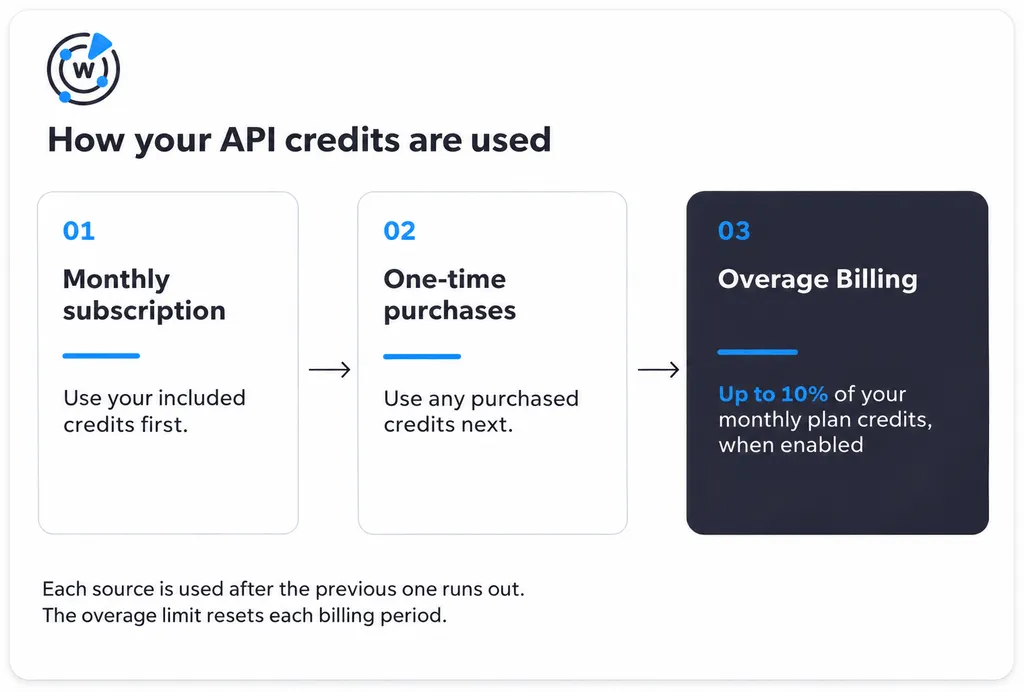
- Existing credits first: Your monthly subscription credits are used first, followed by any one-time credit purchases. Overage charges begin only after both are exhausted.
- Automatic continuation: Once available credits run out, API requests continue using overage credits, up to the billing period’s limit.
- Pay for extra usage: Customers are charged only for the additional credits consumed, at the price shown when enabling the feature.
- A built-in limit: Overage usage is capped at 10% of the plan’s monthly credits per billing period. The limit resets at each renewal.
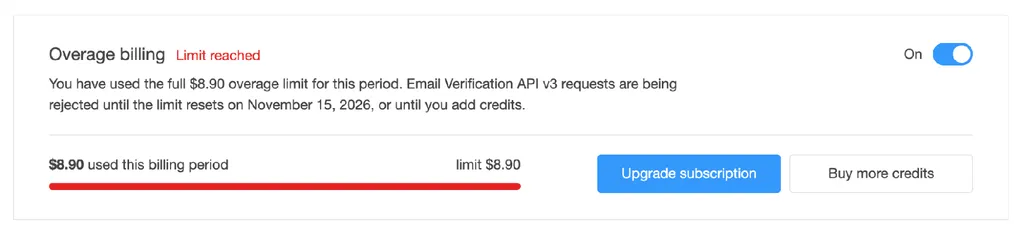
The price per extra credit depends on your subscription tier, with larger plans paying less per credit. For example, a customer with 10,000 monthly credits for Email Verification API can use up to 1,000 additional credits through Overage Billing. At $0.0089 per extra credit, the maximum overage charge would be $8.90 for that billing period. If the customer uses just 40 additional credits, the charge would be approximately $0.36. On a 50,000-credit plan the same extra credit costs $0.00558.
This gives customers room to accommodate unexpected increases in API usage without committing to a larger subscription.
Control Overage Billing from Your Account
Overage Billing is optional and disabled by default. Account owners can decide which products should have it enabled and turn it off whenever necessary.
The feature includes several controls to help manage additional spending:
- Product-level settings: Enable or disable Overage Billing separately for each eligible API product.
- Clear pricing: Review the price per credit, billing period limit, and payment method before confirming.
- Usage visibility: A meter shows how much overage you’ve used, your remaining allowance, and when the limit resets.
- Account permissions: Only the account owner can change Overage Billing settings. Team members can view the status.
- Timely notifications: When Overage Billing is off, customers receive emails when credits are running low or have run out, with a link to enable it. Customers also receive notifications when overage usage begins and when the overage limit is reached.
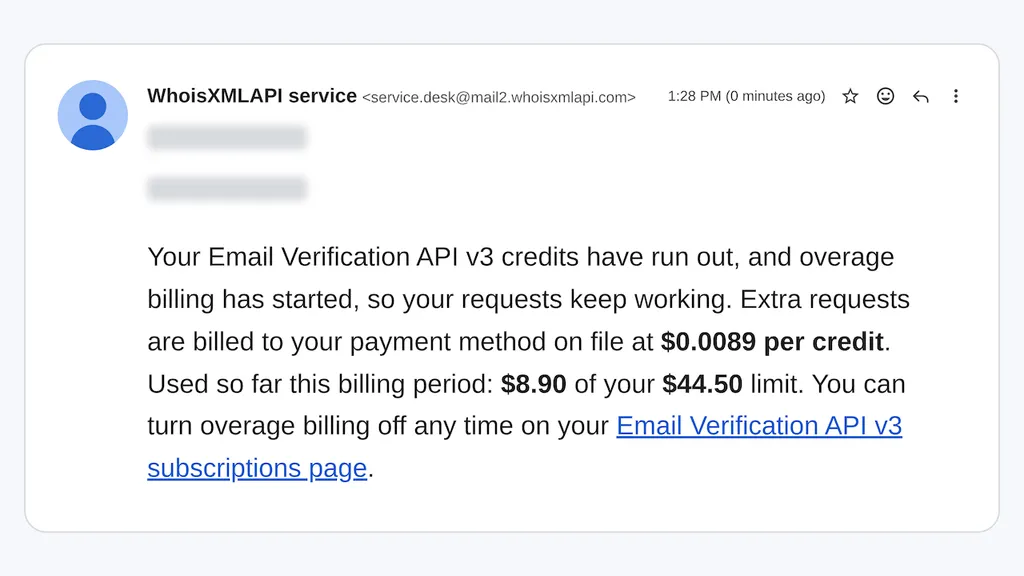
If the overage limit is reached and no other credits are available, API requests pause until the next billing period or until you buy more credits. You can also upgrade your subscription to support higher usage.
Your extra usage is added to your next regular invoice, which shows the number of overage credits you used and the price per credit. Payments that include overage charges are also clearly labeled on your Payments page.
How to Enable Overage Billing
Account owners can enable the feature in a few steps:
- Sign in to your WhoisXML API account and open My Products.
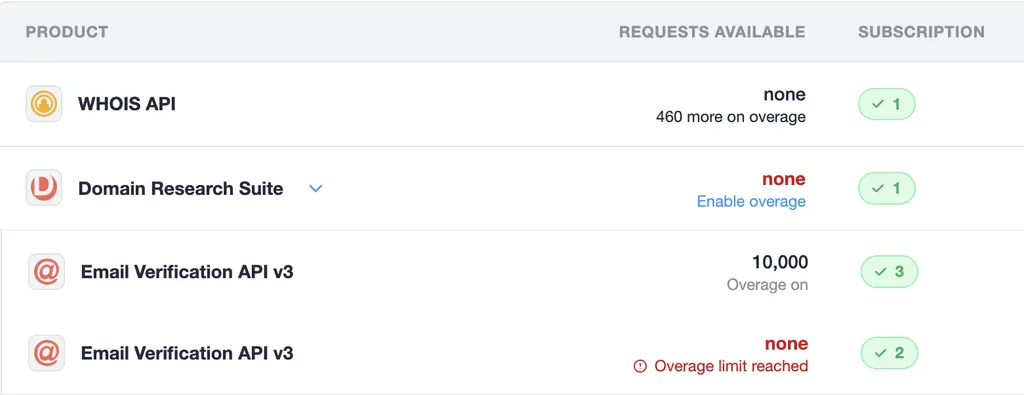
- Find the API you want to keep running and open its subscription page to enable Overage Billing. If its credits are running low or have run out, you can also select Enable Overage in the Requests Available column, under its remaining requests.
- Review the price per credit, overage credit limit, and payment method, then confirm.
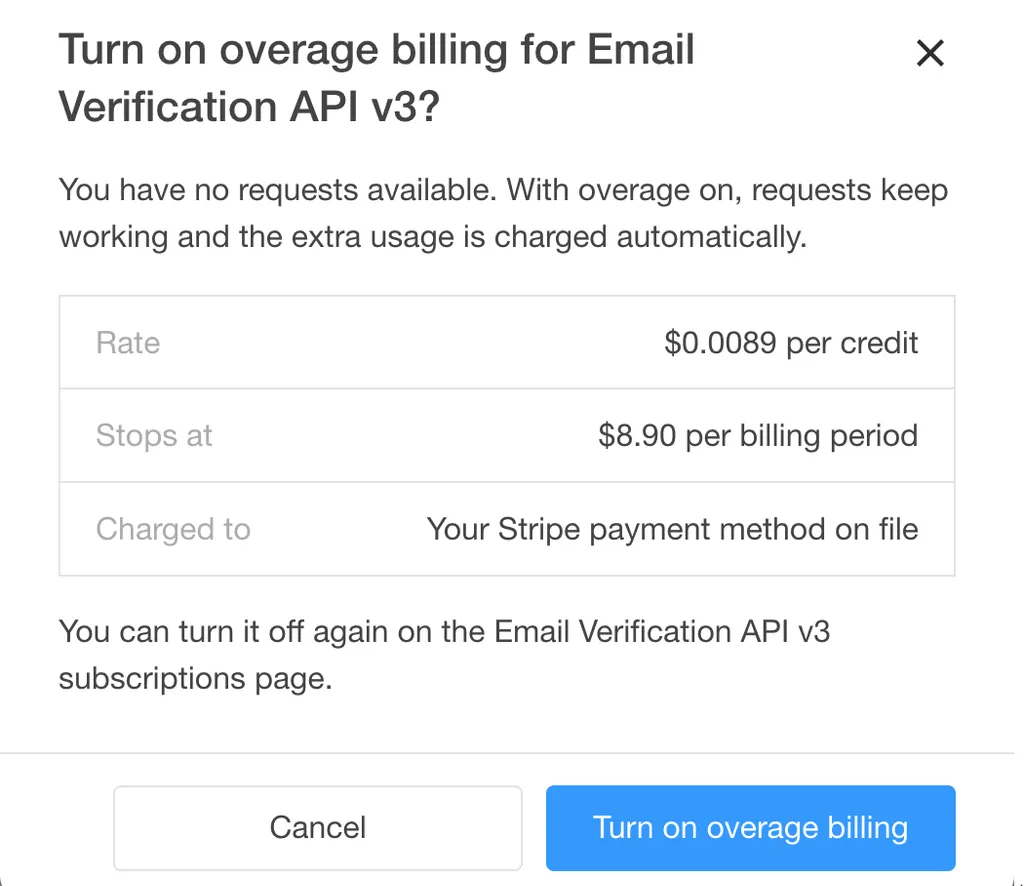
Once enabled, Overage Billing starts covering requests only after the available credits have been exhausted.
You can switch it off from the same subscription page at any time. Any overage credits already used during the current billing period will still be billed, but no further overage usage will accrue while the setting is off.
Get Started with Overage Billing
Overage Billing is available for eligible WhoisXML API monthly subscriptions paid by card. Annual and other non-monthly plans, as well as WXA.ONE credit pools are not covered. Overage Billing is off by default, so existing subscriptions and API integrations remain unchanged unless an account owner explicitly enables it.
To get started, you can sign in to your WhoisXML API account to review your products and subscription settings or contact us if you have questions about Overage Billing.
FAQ
Are WXA.ONE subscriptions covered?
No. Overage Billing is currently available for eligible monthly API subscriptions paid by card. WXA.ONE subscriptions and credit pools aren’t covered.
Why don’t I see the option to enable Overage Billing?
The Enable overage link in My Products appears only when a product’s credits are running low or have run out and Overage Billing is off. You can enable it at any time from the API’s subscription page.
If the option is missing there, check that you’re signed in as the account owner and have an eligible monthly API subscription paid by card. Annual and other non-monthly plans, as well as WXA.ONE subscriptions and credit pools, aren’t covered.
How is the overage price calculated?
Your overage rate matches the one-time purchase price per credit for your plan’s credit tier, so larger plans pay less per extra credit. You’ll see your exact rate before you enable Overage Billing.
Is Overage Billing enabled by default?
No. Overage Billing is disabled by default. As the account owner, you can turn it on separately for each eligible API product after reviewing the price per credit and overage limit.